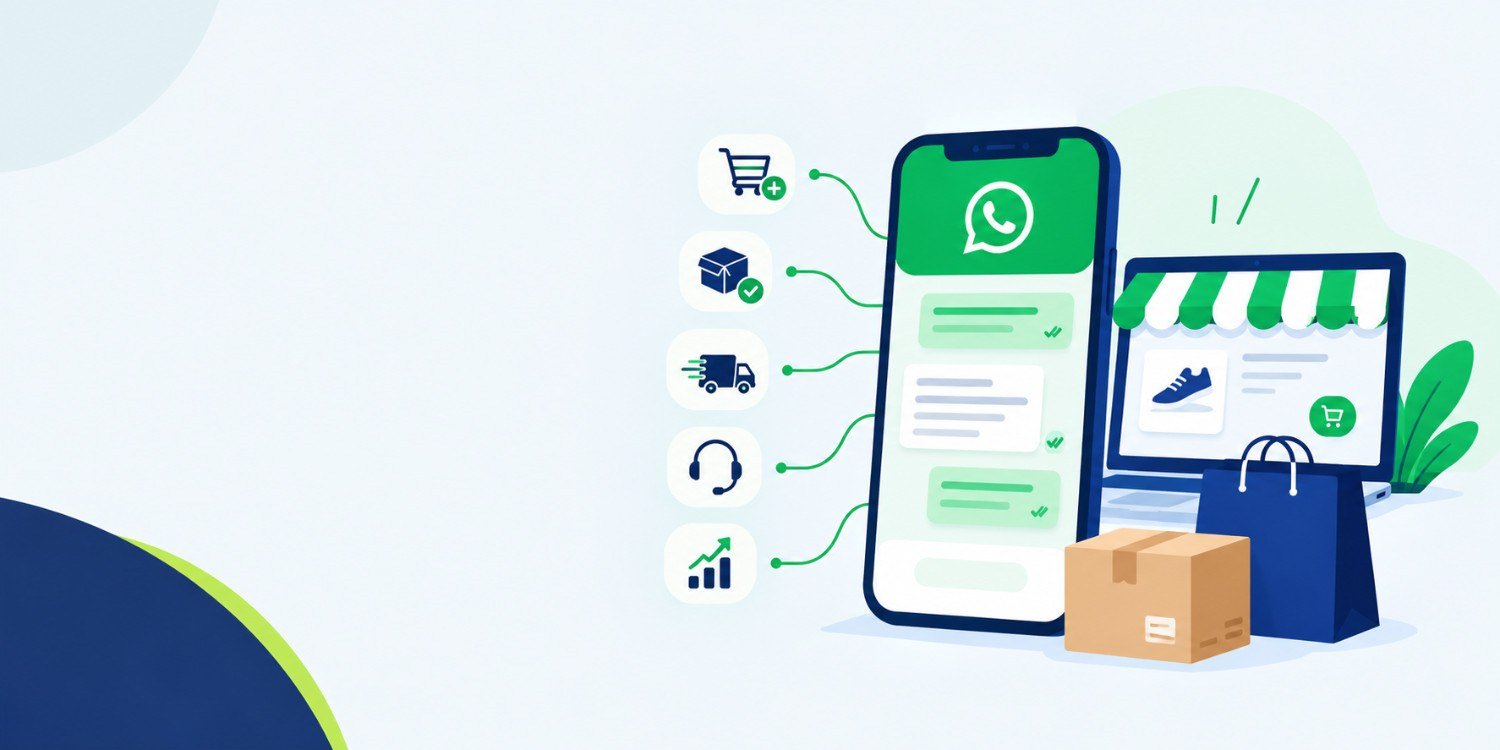

Imagine you run an online store selling clothing, skincare products or home accessories.
A customer visits your website, explores a few products and adds two items to their cart. They reach the checkout page, but something stops them. Perhaps they have a question about delivery, want to confirm the product size or simply get distracted.
The customer leaves without placing an order.
Later, another customer places a COD order but does not answer the delivery agent’s call. Someone else wants to know where their parcel is. Your support team spends the afternoon answering the same questions instead of helping customers with more complicated problems.
These situations are common challenges for e-commerce businesses. The problem isn’t always a lack of customer interest. Sometimes, the customer needs information, reassurance or a convenient way to continue the purchase.
This is where WhatsApp Business API for e-commerce can help.
By connecting WhatsApp with an online store, businesses can automate order updates, send eligible cart reminders, coordinate customer support and manage conversations through connected software.
The goal isn’t to send more messages. It is to help customers move forward while reducing unnecessary manual work.
In this guide, we’ll explore how WhatsApp Business API works, what it costs in India, how it integrates with e-commerce platforms and how to determine whether the investment makes commercial sense.
Think of your online store as the place where customers browse and buy products. Your order management system records purchases, while your support team handles questions, delivery issues and returns.
WhatsApp Business API connects customer communication with these existing systems.
For example, when a customer places an order, your store can trigger a WhatsApp confirmation. When the courier marks the parcel as dispatched, the connected system can send a shipping update. If a customer needs help, their conversation can be routed to the appropriate support team through a compatible platform.
The exact workflow depends on your integration and the software you use.
Unlike the WhatsApp Business App, which is primarily designed for manually managed conversations, the API supports programmatic messaging and software integrations.
An e-commerce business can use it to:
These capabilities require the appropriate setup. The API itself does not automatically install every workflow or guarantee additional sales.
Consider what happens after a customer clicks the Buy Now button.
The customer may still need an order confirmation, payment update, delivery information or help with a return. If getting these answers requires searching through emails or contacting support, the buying experience becomes less convenient.
WhatsApp provides a familiar conversation channel where businesses can send updates and respond to questions.
For an online retailer, the opportunity is to connect these conversations to actual business events rather than manage every interaction manually.
Let’s look at where this can make a difference.
A customer adds products to their cart but leaves before paying.
Your marketing team might not know why. The customer could be comparing prices, checking delivery charges or planning to return later.
With an appropriate integration, the store can identify an abandoned cart and trigger a reminder for customers who are eligible to receive WhatsApp messages.
Example:
“Hi {{1}}, you left a few items in your cart at {{2}}. You can continue your purchase here: {{3}}. Need help before ordering? Reply to this message.”
The reminder gives the customer a direct route back to checkout.
The business can then track how many messages were delivered, how many customers returned to the website and how many completed their purchases.
However, not every purchase made after a reminder is an additional sale. Some customers would have returned anyway. Comparing results with a suitable control group helps establish whether the campaign is generating incremental orders.
A customer places an order and immediately wants reassurance that everything went through correctly.
If the confirmation is delayed, the customer may contact support or place another order by mistake.
An integrated WhatsApp workflow can send an order confirmation after the store records a successful purchase. Depending on the setup, the message can include the order number, payment status and a link to view order details.
This reduces the need for staff to send routine confirmations manually.
The important detail is accuracy. The message should reflect the actual order and payment status stored in the system.
Cash on Delivery remains an important payment option for many Indian online shoppers. It can also create operational challenges when customers refuse parcels or cannot be reached.
Imagine your team preparing dozens of COD orders every day. Calling every customer takes time, and some calls go unanswered.
A WhatsApp integration can send a confirmation request after an order is placed. Depending on the workflow, the customer may confirm the order through a supported reply or interactive message.
Orders that remain unconfirmed can be flagged for manual review before dispatch.
This may help businesses identify potential delivery problems earlier, but it does not guarantee a lower RTO rate. Measure the actual result by comparing the percentage of COD orders returned to origin before and after implementation.
“Where is my order?” is a straightforward question, but answering it repeatedly can consume a support team’s time.
When WhatsApp connects to your order management or courier tracking system, delivery updates can be triggered by events such as dispatch, out-for-delivery status and delivery completion.
A shipping message may contain the order number, tracking link and delivery information supplied by the courier.
Customers can check their orders without contacting support for every update.
The business benefits when the information is accurate and customers can find what they need without unnecessary effort.
A customer might ask about a refund in one conversation and a delivery delay in another. Without a structured process, messages can be missed or passed between employees repeatedly.
A WhatsApp Business API integration can connect customer conversations with a shared inbox or helpdesk, depending on the platform.
Routine questions can receive configured automated responses. More complicated issues can be assigned to a human agent.
For example, an automated workflow might provide a return-policy link for a general question, while a refund dispute is transferred to the support team for investigation.
The aim is to resolve straightforward requests efficiently without making customers struggle to reach a person.
A shopper may like a product but hesitate because the available information does not answer an important question.
They might want to confirm the correct size, check whether a product is available or understand whether delivery is available in their area.
A connected WhatsApp workflow can help the business respond with relevant product or stock information when the necessary data is available.
For items that are temporarily unavailable, customers who have requested a stock notification may be informed when the product becomes available, subject to the applicable consent and messaging requirements.
Better product communication can help customers make informed decisions. It cannot guarantee a purchase, but it removes some of the friction that can prevent one.
The first order is not necessarily the end of the customer relationship.
Someone who buys a consumable product may need to purchase it again. A fashion customer may be interested in a new collection, while a regular customer might appreciate a relevant offer.
WhatsApp can support these retention workflows when customers have agreed to receive the relevant communications.
The messages should match the customer’s interests and purchasing context. Sending frequent, unrelated promotions can lead to opt-outs and reduce trust.
Measure repeat purchases and the profit generated from them rather than treating message opens or replies as the final business outcome.
The setup becomes easier to understand when you break it into practical steps.
Start by configuring the required Meta business assets and WhatsApp Business Account. Complete the verification and phone-number setup steps applicable to your account and chosen integration method.
Requirements can vary, so follow the current onboarding instructions provided by Meta or your selected provider.
There are two common approaches.
Use a compatible platform or provider. This may be suitable when you want existing features for campaign management, team inboxes, order notifications or automation.
Build a custom integration. This may be more appropriate when you need specific workflows, custom reporting or a connection with an existing business system.
Compare the actual features, implementation requirements and total cost before deciding.
The integration needs to know when something happens in your store.
For example, an order-created event can trigger a confirmation, while a dispatch event can trigger a shipping update.
A custom integration may use APIs and webhooks to exchange data between the store, messaging system and order management software.
For Shopify, review the official WhatsApp setup documentation. Other platforms may require a compatible plugin, application or custom development.
Businesses generally need approved templates for business-initiated messages outside the customer service window.
The template category depends on the message’s content and purpose. For example, a promotional cart reminder and a straightforward order update should not automatically be treated as the same type of message.
Write messages that explain the relevant information clearly and avoid adding unrelated promotional content to transactional updates.
Before sending messages, establish a suitable opt-in process and maintain records of customer preferences.
Explain what customers are agreeing to receive. Where necessary, provide separate choices for order-related notifications and marketing communications.
Respect opt-outs and review the WhatsApp Business Messaging Policy before launching campaigns.
Test the complete workflow with sample orders.
Check whether the correct customer receives the message, the order details are accurate and the tracking links work. Confirm that failed deliveries can be identified and that duplicate events do not send repeated notifications.
Also test how customer replies are handled and when conversations are transferred to a human agent.
A workflow is ready for launch when it works reliably across normal situations and foreseeable exceptions.
The best integration method depends on how your online store is built.
| Platform | Common integration approach | What to check |
|---|---|---|
| Shopify | Compatible app or custom integration | Order events, consent settings and cart recovery |
| WooCommerce | Plugin or custom API integration | Order status triggers, plugin compatibility and reporting |
| Magento / Adobe Commerce | Extension or custom development | Existing systems and workflow requirements |
| Custom-built store | Direct API integration or middleware | Development effort, data security and ongoing maintenance |
| Multiple sales channels | Central messaging platform or custom integration | Consolidated order data and customer records |
A platform’s compatibility does not mean that every feature is automatically included. Confirm which workflows are supported and whether additional configuration or development is required.
Cost is one of the first questions businesses ask when considering WhatsApp automation.
The total investment generally includes Meta messaging charges, software or provider fees and any integration or maintenance costs.
Meta uses per-message pricing for template messages, with rates depending on the message category and recipient market.
The India standard rates referenced in this article for the rate card effective July 2026 are:
| Message category | Example | Indicative rate |
|---|---|---|
| Marketing | Promotional campaigns and cart reminders | ₹0.8631 per delivered message |
| Utility | Order and shipping updates | ₹0.1150 per delivered message |
| Authentication | Verification codes | ₹0.1150 per delivered message |
Rates exclude applicable taxes and provider fees. Service messages have separate rules, including a free monthly allowance under the applicable pricing structure.
These figures should be verified against the latest applicable rate card before publication or budgeting, as Meta may change its pricing and billing rules.
Reference: Meta WhatsApp pricing documentation.
The messaging charges are only one part of the total cost.
Your selected platform may charge a subscription or usage fee. A custom integration may require development, testing and ongoing maintenance.
Before selecting a provider, ask for a breakdown of messaging costs, software fees, setup charges, additional automation features and applicable taxes.
This gives you a more realistic picture of what the solution will cost each month.
Suppose an online store sends 5,000 utility messages and 1,000 marketing messages in a month.
Using the indicative rates above:
Estimated Meta messaging charges: ₹1,438.10, before taxes and provider fees.
This is an illustrative calculation, not a provider quotation. Actual billing depends on the applicable rate card, message classification and account conditions.
Sending messages is an activity. Generating profitable business outcomes is the objective.
To evaluate WhatsApp Business API ROI, start by identifying the problem you want to solve. Is your business losing sales at checkout? Is your support team spending too much time on routine questions? Are COD orders creating avoidable delivery costs?
Then measure the financial impact of the relevant workflow.
A basic ROI formula is:
ROI (%) = (Incremental financial benefit − total investment) ÷ total investment × 100
The calculation should account for the costs and benefits relevant to the business, rather than using message delivery as a substitute for revenue.
Suppose an online store runs a WhatsApp cart recovery campaign.
For this illustration, assume:
| Metric | Example |
|---|---|
| Eligible customers contacted | 1,000 |
| Orders completed after reminders | 40 |
| Average order value | ₹1,500 |
| Revenue associated with those orders | ₹60,000 |
| Assumed gross margin | 40% |
| Gross profit associated with the orders | ₹24,000 |
| Total campaign and allocated operating cost | ₹5,000 |
The store records ₹60,000 in revenue associated with the completed orders. At the assumed 40% gross margin, those orders generate ₹24,000 in gross profit before campaign costs and other relevant expenses.
But there is an important distinction: not every order completed after a reminder was necessarily caused by the reminder.
If a suitable comparison shows that only 20 of the orders were incremental, the estimated incremental revenue is ₹30,000 and the estimated incremental gross profit is ₹12,000.
After subtracting the ₹5,000 campaign and allocated operating cost:
ROI = (₹12,000 − ₹5,000) ÷ ₹5,000 × 100 = 140%
These figures are hypothetical, not actual Indiburg customer results or industry benchmarks. The example demonstrates why measuring incremental orders is more useful than attributing every post-message purchase to WhatsApp.
Cart recovery rate: The percentage of eligible abandoned carts that result in a completed purchase, using a clearly defined measurement window.
Incremental conversion rate: The difference in purchase rates between customers who receive the campaign and an appropriate comparison group.
Cost per recovered order: Campaign costs divided by the number of orders recovered under your chosen attribution method.
COD RTO rate: The percentage of COD orders returned to origin, measured before and after implementing confirmation workflows.
Support cost per order: The cost of customer support relative to the number of orders handled.
Repeat purchase rate: The percentage of customers who place another order during a defined period.
Together, these metrics help a business decide whether WhatsApp automation is improving profitability, operational efficiency or customer retention.
Even a well-designed integration can create problems when the workflow is poorly planned.
Sending too many messages: Frequent reminders and unrelated promotions can frustrate customers. Set reasonable frequency limits and stop reminders when the customer completes the purchase.
Ignoring customer consent: Maintain a clear opt-in process and respect customer preferences.
Choosing a provider based only on price: Check integration capabilities, reporting, support and the total cost of ownership.
Automating every customer interaction: Routine queries may be suitable for automation, but complicated complaints and refund disputes often need a human agent.
Measuring revenue without considering profit: Discounts, returns, messaging costs and existing purchase intent can change the actual financial result.
A good implementation starts with a defined business problem and expands only when the results justify it.
Consider a store that receives a manageable number of orders and handles customer messages without much difficulty. The WhatsApp Business App may be sufficient for its current needs.
Now consider a store processing hundreds or thousands of orders, where customers regularly ask for delivery updates, COD confirmations and return assistance. Manual handling can become difficult to manage as order volume increases.
An API-based solution may be worth evaluating when the business needs automatic messaging, integration with order data, shared support workflows or measurable campaign reporting.
The decision should depend on your current workload, technical requirements and expected financial benefit, not simply on the size of your competitor’s operation.
Every online store has a different communication process. A Shopify store may need a different setup from a custom-built platform connected to an existing CRM and order management system.
Indiburg Technologies can help businesses evaluate their WhatsApp Business API requirements and plan the integration around the workflows they need.
The scope may include order notifications, abandoned cart recovery, COD confirmation, customer support workflows and connections with existing business software.
Before implementation, it is important to define which events should trigger messages, how customer consent will be recorded, what happens when a message fails and how business results will be measured.
Planning to integrate WhatsApp Business API with your e-commerce store?
Contact Indiburg to discuss your platform, required workflows and integration scope.